Looking for a Paprika alternative?
Paprika was a great recipe manager — but it hasn't shipped a major feature since 2018. If you need AI import, a web app, or family sharing, it's time to look elsewhere.
Get Started FreeWhy people look for alternatives
You pay $4.99 per mobile platform and $29.99 per desktop — using Paprika on iPhone, Mac, and Windows costs over $65
The interface looks and feels like 2015 — no design updates in years
Recipe import fails on modern recipe blogs, paywalled sites, and social media
No web app means no access from a work computer, a friend's house, or any browser
The app hasn't shipped a major new feature since version 3 launched — blog posts are limited to annual sale announcements
No way to share your recipe library or meal plans with family members
At a glance
Feature-by-feature comparison
Fond
Fond uses AI to import recipes from any source — URLs, photos, Instagram reels, TikTok videos, screenshots, even handwritten recipe cards. The AI strips ads and life stories, extracting just the ingredients and steps.
Paprika
Paprika uses a built-in browser to clip recipes from websites. It works well on standard recipe sites with structured data, but struggles with non-standard layouts, paywalled content, and has no support for photos, social media, or handwritten recipes.
What makes Fond different
AI-powered recipe import from any URL, photo, screenshot, or social media post
Specialized workshops: Pizza Workshop with dough calculator, Bread Studio, Coffee Lab
Built-in AI cooking assistant (August) that helps with techniques and substitutions
True cross-platform with a single account — web, iOS, Android, desktop included
Family sharing with up to 10 members and role-based access
Modern interface with regular feature updates and active development
Free tier available — try before you commit
Smart meal planning with leftover tracking, templates, and auto-generated shopping lists
Who should choose what
Choose Paprika if
- You strongly prefer a one-time purchase with zero recurring fees
- You only cook from one device and don't need web or cross-platform access
- You want a simple, no-frills recipe box without AI or specialized tools
- You already have hundreds of recipes in Paprika and don't need new features
Choose Fond if
- You want AI that imports recipes from URLs, photos, Instagram, and TikTok
- You cook from multiple devices — phone, tablet, laptop, desktop
- You're into pizza making, bread baking, or coffee brewing and want specialized tools
- You want to share recipes and meal plans with your household
- You want modern meal planning with leftover tracking and auto shopping lists
- You want an app that ships new features regularly, not once every few years
- You want a free tier to try before committing
Switching from Paprika
Switching from Paprika takes just a few minutes. In Paprika, go to Settings and export your recipes in HTML or Paprika format. Then open Fond, go to Settings > Import, and upload the exported file. Fond's AI processes each recipe and preserves your categories, notes, ratings, and source URLs. Most users with 200+ recipes complete the migration in under 5 minutes.
Explore further
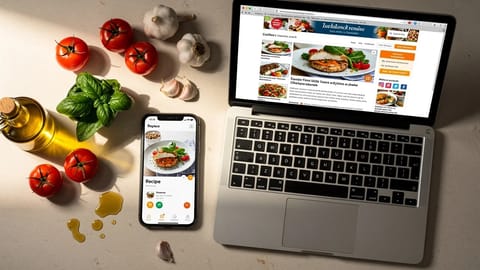
How to save recipes from websites (without the ads and life stories)
Four ways to strip the clutter from recipe websites and keep just the ingredients and steps. From quick browser tricks to apps that store, scale, and plan around your saved recipes.
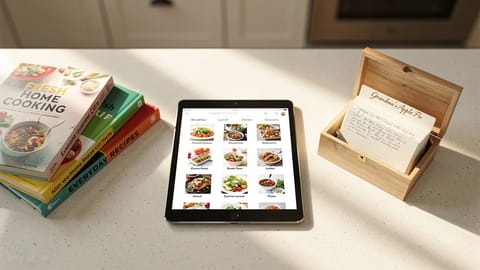
How to organize your recipes digitally (and actually find them again)
A practical system for getting your recipes out of screenshots, bookmarks, and kitchen drawers into one searchable place. Covers tagging, collections, and what to look for in a recipe organizer app.
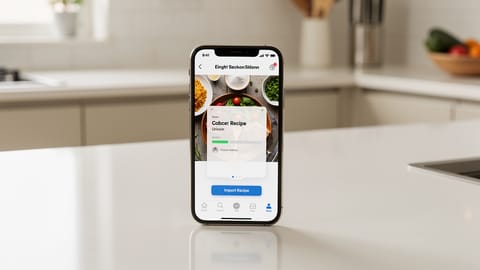
Recipe Import
The ability to save recipes from websites, photos, cookbooks, or other apps into your recipe manager automatically, with ingredients and steps properly parsed.
Ready to upgrade from Paprika?
Join thousands of home cooks who chose Fond for AI-powered recipes, smart meal planning, and specialized cooking workshops.
Get Started Free