 Bastien
Cooklang
A markup language for writing recipes in plain text, making ingredients, cookware, and timers machine-readable while keeping files human-readable and portable.
Cooklang is an open-source markup language designed specifically for recipes. Instead of storing recipes in complex databases or proprietary formats, Cooklang lets you write them as plain text files with simple annotations — and you own every file. Any app that understands the Cooklang spec can parse ingredients, cookware, and timers directly from the text, enabling features like automatic shopping lists, recipe scaling, and cook mode without manual data entry.
How Cooklang works
In Cooklang, you write recipes as natural steps and mark up three types of elements:
| Symbol | Element | Example | What the parser extracts |
|---|---|---|---|
@ |
Ingredient | @salt{2%tsp} |
Name: salt, Quantity: 2, Unit: tsp |
# |
Cookware | #large pot |
Equipment: large pot |
~ |
Timer | ~{15%minutes} |
Duration: 15 minutes |
The syntax is intentionally minimal. You can read a Cooklang file without any special software — it is just a text file that also happens to be machine-readable.
Ingredient syntax in detail
Ingredients are the most frequently annotated element. Cooklang handles several common patterns:
| Pattern | Syntax | Result |
|---|---|---|
| Name + quantity + unit | @flour{500%g} |
500 g flour |
| Name + quantity, no unit | @eggs{3} |
3 eggs |
| Name only | @butter |
butter (no quantity) |
| Multi-word name | @olive oil{2%tbsp} |
2 tbsp olive oil |
| Fractional quantity | @milk{1/2%cup} |
1/2 cup milk |
This simplicity means you spend time cooking, not formatting data.
Example recipe
Boil @water{1%liter} in a #large pot.
Add @pasta{400%g} and cook for ~{12%minutes}.
Drain and toss with @olive oil{2%tbsp} and @garlic{2%cloves}, minced.
Season with @salt{1%tsp} and @black pepper{1/2%tsp}.
Serve immediately with @parmesan{30%g}, grated.
From this plain text, a Cooklang parser can automatically generate:
- A complete ingredient list with quantities
- A shopping list grouped by category
- Step-by-step instructions for cook mode
- Scaled quantities for any number of servings
Cooklang vs other recipe formats
| Feature | Cooklang | JSON-LD / Schema.org | Proprietary database | Markdown |
|---|---|---|---|---|
| Human-readable | Yes — plain text | No — structured data | No — locked format | Yes |
| Machine-readable | Yes — parsed elements | Yes — structured data | Yes — within app only | No |
| Portable | Yes — text files | Partially — embedded in HTML | No — vendor lock-in | Yes |
| Ingredient extraction | Automatic | Manual entry required | Manual entry required | Manual |
| Version control (Git) | Easy | Possible but verbose | Difficult | Easy |
| Shopping list generation | Automatic | Requires app logic | App-specific | Manual |
Most recipe managers store your data in a proprietary database or use structured formats like JSON-LD, which are designed for search engines rather than humans. Cooklang takes a different approach: files are human-readable first, machine-readable second. You can edit a Cooklang recipe in any text editor, store it in Git, or move it between apps — no import headaches or vendor lock-in.
Why Cooklang matters for home cooks
You do not need to be a programmer to benefit from Cooklang. The format solves real problems that every home cook faces:
| Problem | How Cooklang helps |
|---|---|
| Recipes scattered across apps, bookmarks, screenshots | One text file per recipe, stored wherever you want |
| Shopping lists take forever to make | Ingredients extracted automatically from recipes |
| Scaling a recipe means recalculating every ingredient | Recipe scaling works automatically with parsed quantities |
| Recipes locked inside one app | Plain text files work with any Cooklang-compatible app |
| Meal prep planning is tedious | Combine multiple recipe files to generate a unified shopping list |
| No way to track what you changed | Text files work with version control — see every edit |
Advanced Cooklang features
Metadata
Add recipe-level information at the top of any Cooklang file:
>> servings: 4
>> source: grandma
>> time: 45 minutes
Comments
Use -- for inline comments that the parser ignores:
Add @sugar{200%g}. -- you can reduce to 150g for less sweetness
Multi-step recipes
Each line in a Cooklang file is one step. Blank lines separate steps into logical groups, making complex recipes with dozens of steps easy to follow.
Writing your first Cooklang recipe
- Open any text editor (Notepad, VS Code, TextEdit)
- Write your recipe steps as plain sentences
- Mark ingredients with
@name{quantity%unit} - Mark cookware with
#name - Mark timers with
~{duration%unit} - Save with a
.cookextension - Open in any Cooklang-compatible app
The learning curve is about five minutes. If you can write a text message, you can write Cooklang.
Cooklang and measurement
Cooklang works with any unit system. Whether you prefer grams and milliliters or cups and tablespoons, the format does not care. Apps like Fond that support unit conversion can even switch between systems automatically, and using a kitchen scale with weight-based Cooklang recipes gives you the most precise results when scaling.
Cooklang in Fond
Fond is built on Cooklang under the hood, so every recipe you save is automatically structured — ingredients, quantities, timers, all of it. That means features like recipe scaling, shopping lists, meal prep planning, and cook mode work out of the box, with zero manual tagging. You can also import recipes from other sources and Fond converts them to Cooklang automatically. You never have to think about the format.
To learn more about the specification, visit cooklang.org.
Frequently asked questions
Do I need to know programming to use Cooklang?
No. Cooklang uses three symbols (@, #, ~) and plain text. If you can write a recipe on paper, you can write it in Cooklang. The syntax takes about five minutes to learn.
Can I convert my existing recipes to Cooklang?
Yes. You can manually add the @, #, and ~ annotations to any text recipe, or use apps like Fond that import recipes and convert them automatically.
What apps support Cooklang?
Several apps and tools support Cooklang, including Fond, CookCLI (the official command-line tool), and community-built parsers in multiple programming languages. The specification is open, so any developer can build Cooklang support into their app.
Is Cooklang good for baking recipes?
Yes. Baking recipes benefit especially from Cooklang because precise quantities are critical. When every ingredient has a parsed quantity and unit, recipe scaling and unit conversion (grams to ounces, for example) work automatically. Bakers who use baker's percentages can even annotate those in metadata.
Where should I store my Cooklang files?
Anywhere you store text files — a folder on your computer, Dropbox, Google Drive, or a Git repository. Because Cooklang files are plain text, they are tiny (a few kilobytes each) and work with any backup or sync system.
Cook smarter
Join the waitlist for Fond. Recipes, meal plans, and a little AI sous-chef that learns how you cook.
Related terms
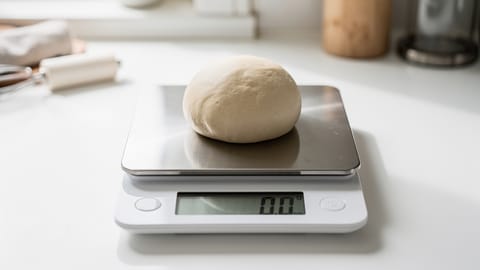
Kitchen Scale
A digital scale for measuring ingredients by weight — far more accurate than cups and spoons, especially in baking.
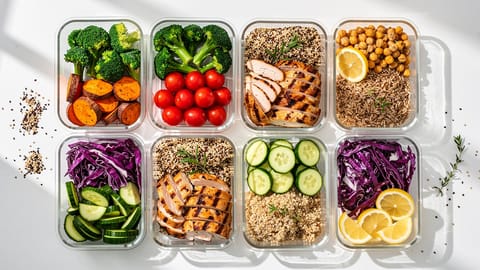
Meal Prep
Preparing meals or meal components in advance, typically for the week ahead, to save time and reduce daily cooking effort.
Recipe Import
The ability to save recipes from websites, photos, cookbooks, or other apps into your recipe manager automatically, with ingredients and steps properly parsed.
Recipe Manager
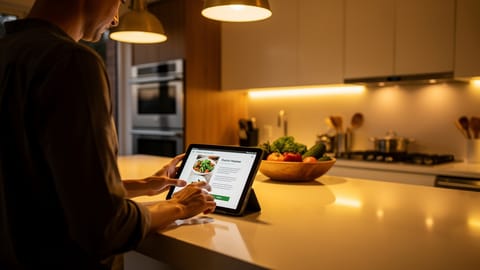
Software for storing, organizing, and accessing recipes digitally — replacing physical cookbooks, bookmarks, and scattered notes with a searchable, scalable collection.
Recipe Scaling
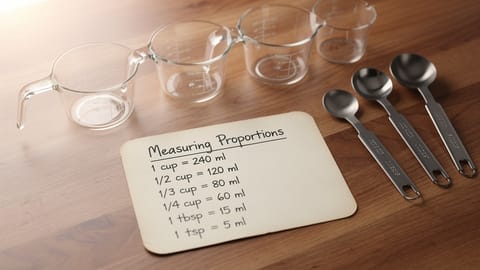
Adjusting ingredient quantities in a recipe to serve more or fewer people while maintaining correct proportions.
Smart Shopping List
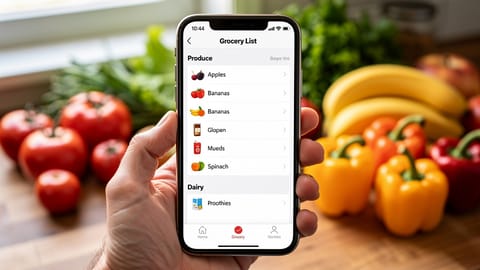
An automatically generated grocery list that combines ingredients from multiple recipes, merges duplicates, and organizes by store aisle.
How to save recipes from websites (without the ads and life stories)
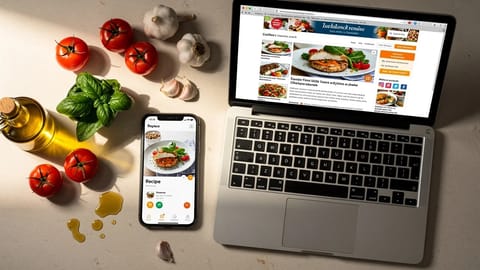
Four ways to strip the clutter from recipe websites and keep just the ingredients and steps. From quick browser tricks to apps that store, scale, and plan around your saved recipes.